Apple Authorized Service Providers (AASPs) can integrate their Appointment Scheduler with Apple's Global Service Exchange (GSX) system. This allows customers to book Apple repair appointments that sync directly with GSX for reservation management and slot availability.
How GSX Appointments Work
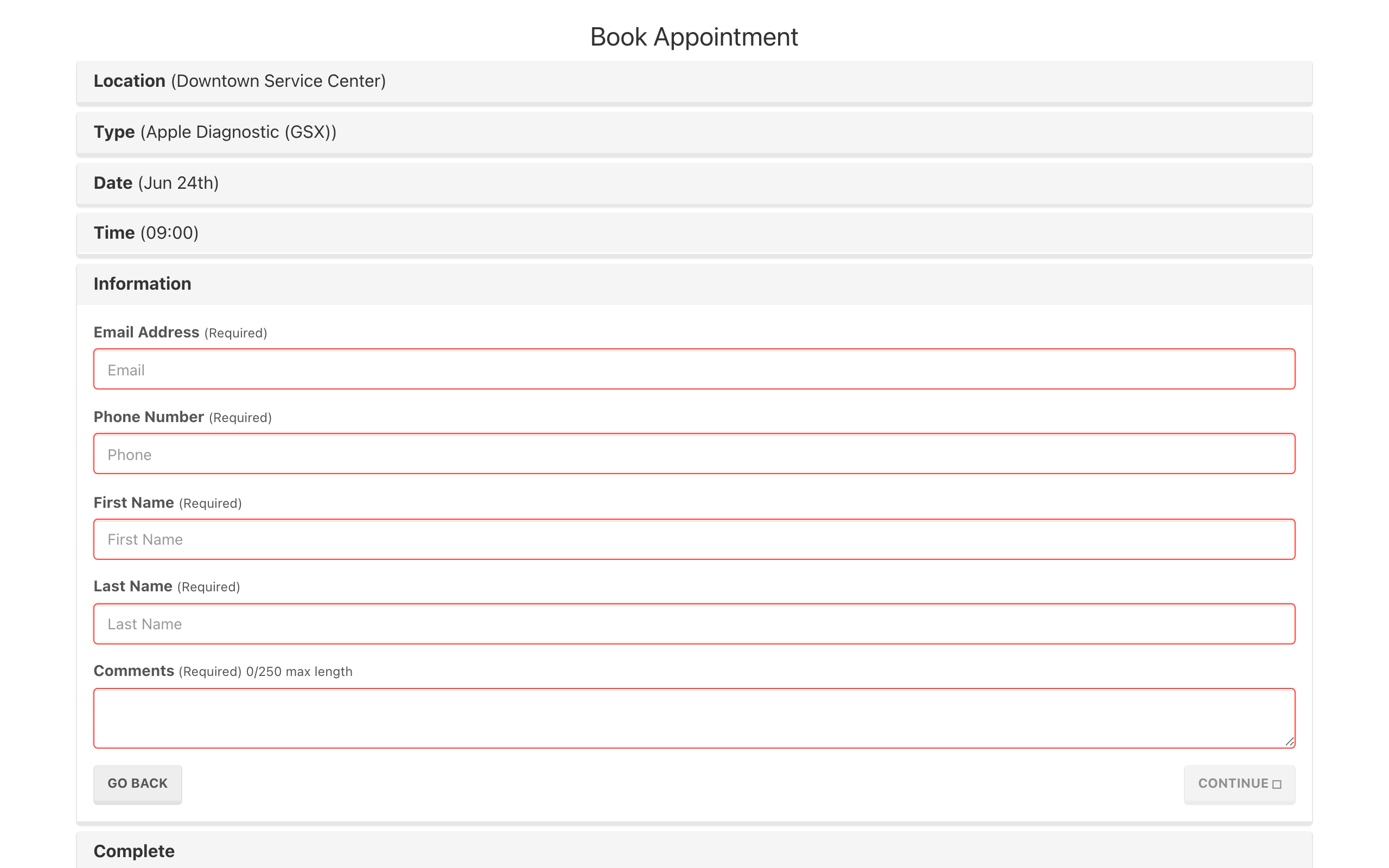
When an appointment type is linked to a GSX repair type, the booking flow uses GSX APIs instead of the standard Weevio scheduler:
- Availability is fetched directly from GSX, ensuring time slots reflect Apple's scheduling requirements.
- Time slots for a selected date are extracted from the GSX availability data, filtered by the location's timezone.
- Booking creates a reservation in GSX with status
RESERVED, including the customer's details, the selected time, and a description of the issue.
Note:
For GSX appointments, the Comments field becomes required. Customers must describe the issue they are experiencing (for example, "cracked screen" or "battery not holding charge"). This information is sent to GSX as the issue description.
GSX Appointment Types
Each location can have appointment types linked to specific GSX product codes. When a customer selects one of these types, the scheduler switches from using Weevio's built-in availability engine to querying GSX directly.
Standard (non-GSX) appointment types continue to work normally alongside GSX types, so you can offer both Apple repair appointments and other service types from the same scheduler.
Location Requirements
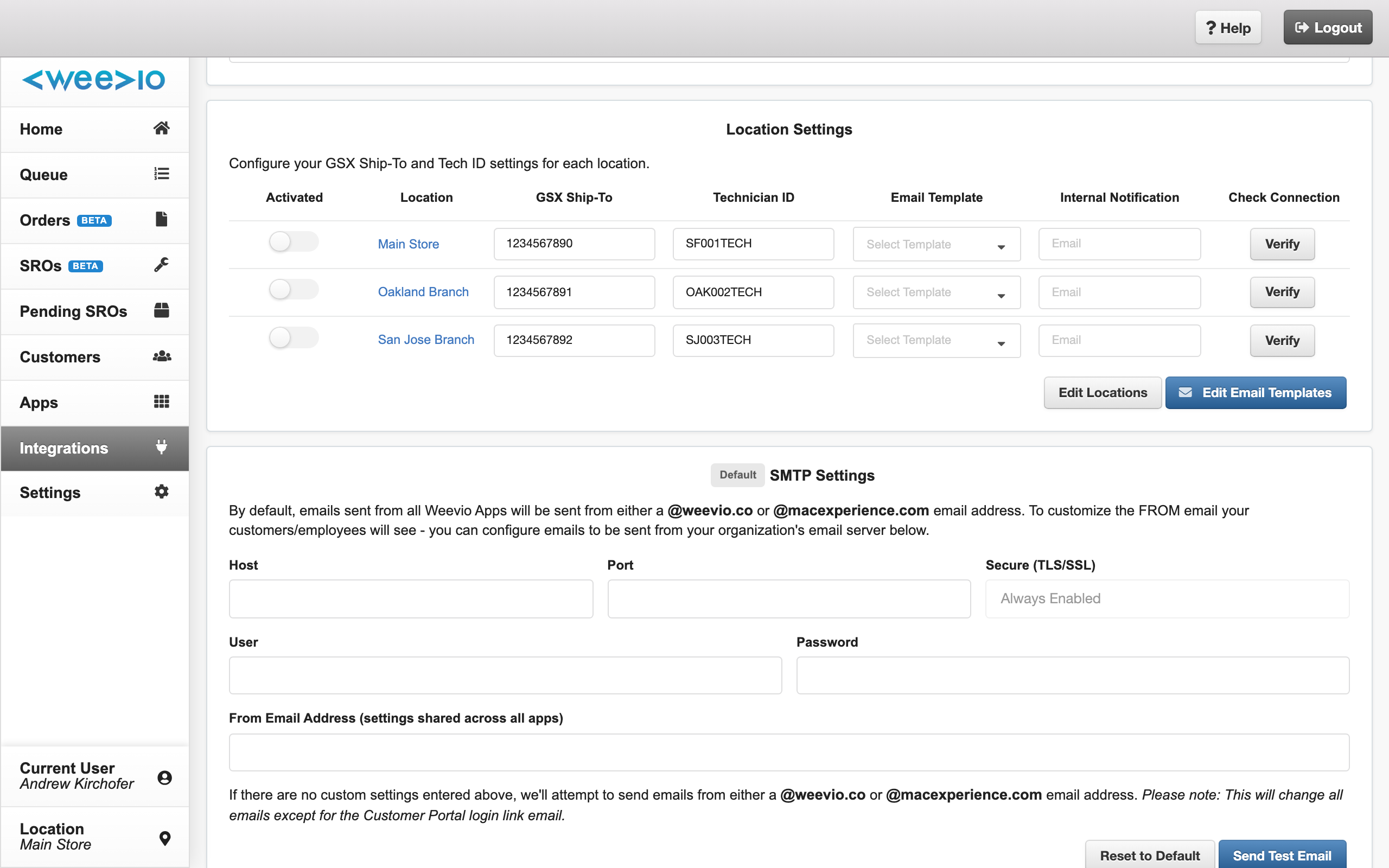
For GSX appointments to work, each location needs the following GSX-specific configuration:
| Setting | Description |
|---|---|
| GSX Ship-To Code | The Apple ship-to code assigned to the service location. |
| GSX Tech ID | The technician ID used for GSX reservation creation. |
These are provided by Apple as part of your AASP enrollment and must be configured per location in your Weevio Cloud settings.
Email Confirmations
GSX appointment confirmations follow the same email flow as standard appointments — an automatic confirmation email is sent to the customer with the appointment type, date, and time. If SMS notifications are enabled, the customer also receives a text message confirmation.
Need Help?
For assistance, please send a message to our Support page.